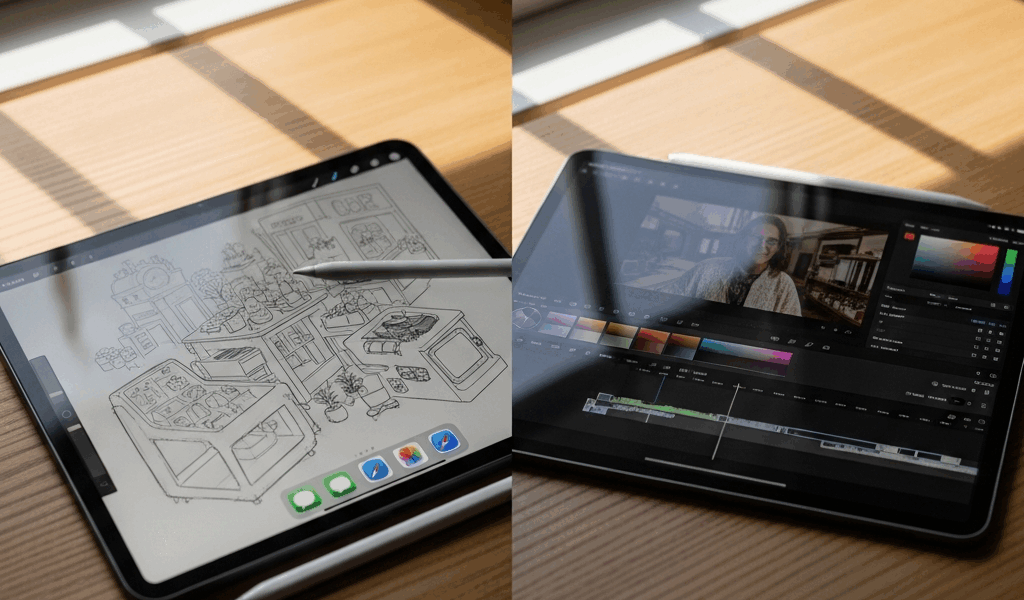
iPad Air vs iPad Pro — Which One Is Worth It
The Short Answer Before We Dig In
The iPad Air vs iPad Pro debate is the kind of thing nobody warns you about with all the spec-sheet noise flying around. So let me cut through it fast: buy the iPad Air. Seriously, most people can stop reading right here, head over to Apple’s site, and pocket $300 to $400 depending on how you configure storage. The 11-inch iPad Air starts at $599. The 11-inch iPad Pro starts at $999. That’s real money — not “technically a difference on paper” money. And for the overwhelming majority of buyers, the Air closes that performance gap to almost nothing in actual daily use.
This article includes affiliate links. We may earn a commission at no extra cost to you.
Our Top Picks
This section includes affiliate links. We may earn a commission at no extra cost to you.
13-inch Liquid Retina display with M2 chip, 128GB storage, Apple Pencil Pro support
$799
Check Price on AmazonTandem OLED Ultra Retina XDR display with M4 chip, 5.1mm thin, LiDAR scanner
$1,299
Check Price on AmazonStill here? Good. Either you’re genuinely torn or you suspect your workflow might justify the Pro. Let’s find out if it does.
Where the iPad Pro Actually Pulls Ahead
Burned by a hasty purchase years ago — I grabbed the base iPad when I actually needed the Air — I’ve gotten pretty honest about which spec differences translate into real-world experience versus which ones just look impressive on a comparison chart. Don’t make my mistake.
The iPad Pro has four genuine advantages worth your attention.
- OLED display. The Pro runs a tandem OLED panel. Colors hit differently, blacks are actually black, and the contrast ratio is dramatically better. Color-sensitive work — photo editing, illustration, video grading — this matters here. Watching Netflix on the couch? It looks great, sure. But so does the Air’s Liquid Retina LCD, honestly.
- M4 chip headroom. The Pro ships with Apple’s M4. The Air runs the M2. Benchmarks favor the M4 significantly. In actual app use, though, you will almost never feel that gap — unless you’re encoding ProRes video or running compute-heavy machine learning workflows. The M2 isn’t slow. It’s exceptionally fast. Full stop.
- Nano-texture glass option. Available on the 13-inch Pro at extra cost, this anti-reflective coating is genuinely useful for artists grinding under harsh studio lighting. Niche feature. Real feature. Those two things can both be true.
- Thinner and lighter form factor. The M4 iPad Pro is 5.1mm thin — almost absurdly svelte. The Air sits at 6.1mm. Both are light. The Pro is lighter. Carry it in a bag every single day and that difference becomes noticeable over time, though probably not decisive for most people.
Worth noting: both the current iPad Air M2 and iPad Pro support the Apple Pencil Pro now. That used to be a Pro-only advantage. It isn’t anymore.
What the iPad Air Gets Right for Most People
Real talk: this is the important bit.
The M2 chip inside the Air handles video calls, note-taking apps, Procreate, Lightroom, Microsoft 365, Safari with seventeen tabs open — basically every consumer and prosumer app you can throw at it without flinching. I’m apparently an M2 loyalist at this point, and my MacBook Air with that same chip has handled demanding work for over a year without breaking a sweat. Putting it in a tablet is borderline overkill for the average buyer.
At $599 for the base 11-inch with 128GB of storage, the Air gives you:
- A sharp, bright Liquid Retina display at 2360 x 1640 resolution
- Full Apple Pencil Pro support as of the M2 generation
- Magic Keyboard compatibility
- USB-C with USB 3 speeds on current models
- The exact same App Store ecosystem as the Pro
- Face ID, landscape front camera, Center Stage
That’s the entire iPad experience. Not a trimmed-down version of it — the whole thing. Apps don’t run differently. The Pencil doesn’t feel different. Keyboard cases fit. You’re not buying a lesser iPad; you’re buying the same iPad with different display tech and a two-generation-older chip that still outperforms what most tasks actually demand from it.
The $400 you save on a maxed-out comparison buys a quality mechanical keyboard, a full year of iCloud storage, a pair of AirPods, or 40% of another gadget entirely. That’s not nothing. That’s real.
Pick the Pro If You Match One of These Profiles
There are buyers for whom the Pro is the right call. They’re just not the majority — and that distinction matters.
- Professional video editors working in ProRes. Shooting on an iPhone 15 Pro or a cinema camera and editing ProRes footage directly on your tablet? The M4’s extra processing headroom and ProRes hardware acceleration matter here. The Air will struggle under sustained ProRes encode workloads in ways the Pro simply won’t.
- Illustrators and digital artists who live and die by accurate color. The Pro’s OLED panel covers a wider color gamut with better accuracy right out of the box. Delivering work to print, or to a client who genuinely cares about color accuracy? The Pro’s display is a legitimate professional tool. The Air’s display is good. The Pro’s is better in ways that are measurable, visible, and worth paying for if color is your job.
- People who want the thinnest, lightest device available — full stop. Some buyers just want the best hardware Apple makes. The Pro is 5.1mm. Nothing else comes close. If that matters to you, it matters, and the price is the price.
- Heavy multitaskers running iPadOS Stage Manager as a desktop replacement. Genuinely trying to replace a laptop — multiple windows, external displays, demanding apps running simultaneously? The M4 gives you a higher sustained performance ceiling before things get warm or stuttery under load. That ceiling is real.
Notice what’s not on that list: students, note-takers, casual artists, video watchers, remote workers on calls, readers, or anyone who describes their usage as “general.” Those buyers don’t need the Pro. They really don’t.
Final Verdict — Which One Should You Buy
Buy the iPad Air M2. It’s the right tablet for most people at a price that doesn’t require a spreadsheet to justify.
The iPad Pro is an exceptional machine — the OLED display is genuinely beautiful, the M4 chip is future-proofed well past what current iPadOS can even fully utilize, and it’s the thinnest slate Apple has ever built. Matched one of those four profiles above? Spend the money without guilt. That’s what it’s there for.
But if you’re on the fence? That’s your answer right there. Fence-sitters don’t have the specific workflow demands that make the Pro worth it. The tiebreaker is brutally simple: if you can’t name a concrete task where the Pro’s OLED display or M4 chip actually changes your output, get the Air — and invest the savings somewhere that changes your day in ways you’ll actually feel.
Check current pricing on the Apple iPad buying page — Apple runs education discounts and refurbished deals periodically that make the Air an even stronger value. The refurbished 11-inch iPad Air M2 shows up at $479 fairly regularly. At that price, this decision gets even easier.



Leave a Reply